How To Tell What Gen Your Glock Is – Identification Guide
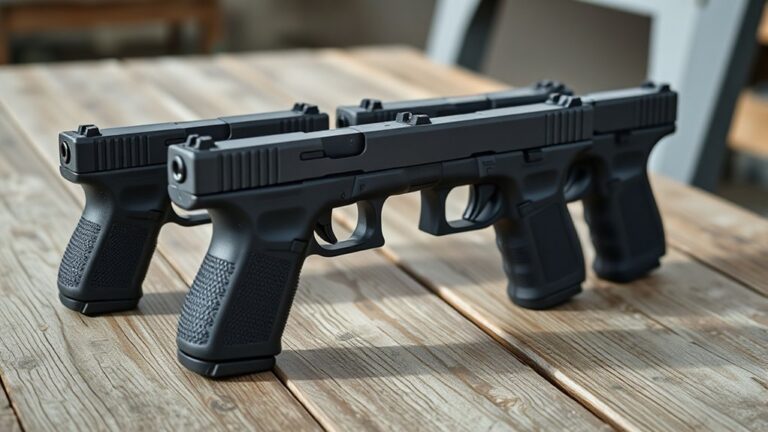
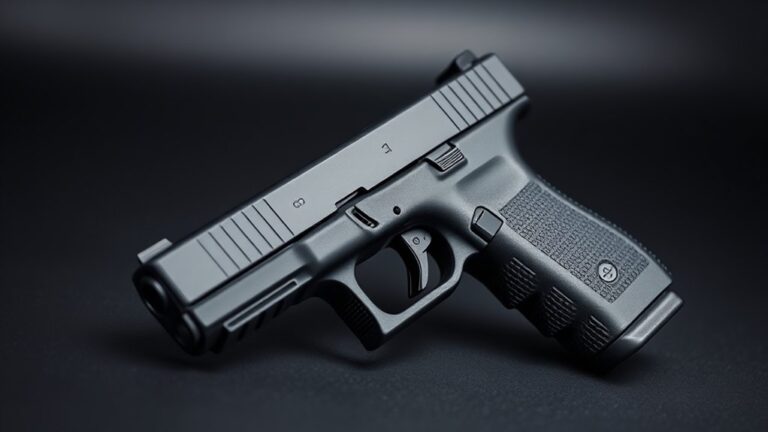
You can identify your Glock’s generation by looking at some key features.
Gen 1 and 2 have smooth grips with minimal checkering and only two frame pins.
Gen 3 adds three finger grooves on the grip and an accessory rail for attachments.
Gen 4 introduces ambidextrrous magazine releases and modular backstraps, along with a more aggressive grip texture.
Gen 5 removes the finger grooves, adds forward slide serrations, and has ergonomic refinements for better handling.
Checking slide markings and the number of pins can also help confirm which generation you have.
Getting familiar with these details will make it quick and easy to identify your Glock’s model.
How To Quickly Identify Glock Generations: Key Features To Know

Although Glock generations share a similar design language, you can identify each one quickly by looking at a few key features.
Glock generations look alike but can be quickly identified through a few distinct design features.
For example, early Glock models like Gen 1 and Gen 2 don’t have finger grooves or accessory rails. They also only have two frame pins.
Starting with Gen 3, you’ll notice finger grooves on the grip along with an accessory rail for attaching lights or lasers. The frame also has three pins instead of two.
These visual cues are your primary indicators to tell Gen 3 and later models apart from the earlier ones. Recognizing these traits lets you identify the Glock generation without needing to take it apart.
This makes it easier for maintenance, checking compatibility, or just for collecting. Mastering these features helps you quickly determine the Glock generation whether you’re at the range or in the field.
How To Identify Gen 1 And Gen 2 Glocks By Grip And Pins
Want to tell if a Glock is Gen 1 or Gen 2? It’s pretty straightforward once you know what to look for.
First off, check out the grip texture. Gen 1 grips are smooth and don’t have any checkering or finger grooves, so they feel pretty plain.
On the other hand, Gen 2 grips have some aggressive checkering on the front and back straps, giving you a better grip, but they still don’t have finger grooves.
Another way to tell the difference is by looking at the pins. Gen 2 models usually have two pins, whereas Gen 1s tend to have fewer pins.
Grip Texture Differences
When telling apart Gen 1 and Gen 2 Glocks, the grip texture and pin setup are your best clues. Both generations don’t have the checkered or textured grips and finger grooves you see on later models.
Gen 1 has a smooth pebblestone grip texture. It’s pretty minimal and gives you little tactile feedback.
In comparison, Gen 2 improves on this with a deeper, more defined grip texture. It offers better control without going fully checkered.
Neither Gen 1 nor Gen 2 has modular or interchangeable backstraps, so their grip profiles stay pretty consistent.
These small differences in grip texture are really helpful when trying to identify your Glock.
While the pin configuration also helps, focusing on the grip texture makes it easier. You can quickly tell if you’re dealing with the smoother surface of a Gen 1 or the more textured, pronounced grip of a Gen 2.
Pin Configuration Details
Since pin configuration is a reliable way to tell different Glock generations apart, it’s important to check the frame pins when identifying Gen 1 and Gen 2 models.
Both generally have a two-pin setup, but you can notice subtle differences in how the pins are placed. The locking block pin, which keeps the internal parts secured, stays the same across these generations.
If there’s no third locking block pin, it usually indicates an early Gen 1 or Gen 2 Glock. Paying attention to these details will help you accurately identify your firearm.
| Feature | Gen 1 | Gen 2 |
|---|---|---|
| Pin Configuration | Two pins, including locking block pin | Two pins with slight layout changes |
| Grip Texture | Smooth, no checkering | Slightly textured, checkered grip |
| Frame Markings | Present | Generally absent |
How To Identify Gen 3 Glocks By Finger Grooves And Accessory Rails
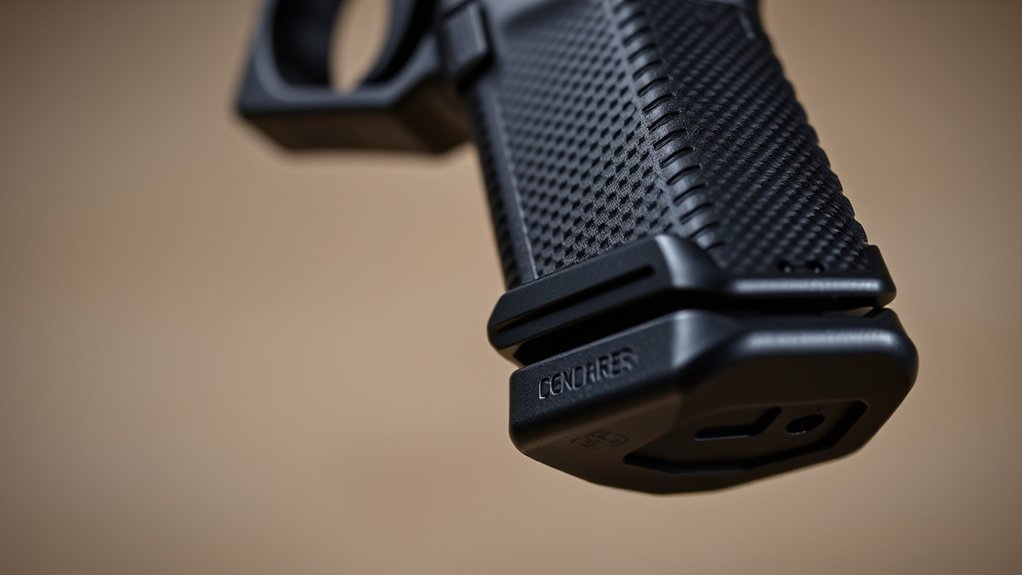
Although earlier Glock generations lack certain ergonomic features, Gen 3 models stand out with their distinctive finger grooves and integrated accessory rails.
You can recognize Gen 3 Glocks by the three pronounced finger grooves on the grip. These grooves are designed to fit your fingers precisely and improve grip control. They make handling the firearm more comfortable and secure.
Another key feature is the accessory rail. It’s positioned beneath the barrel and trigger guard. This rail was first introduced with Gen 3 models and isn’t found on Gen 1 or Gen 2.
The accessory rail allows you to mount tactical lights or lasers directly onto the frame.
When inspecting your Glock, look for these features: the finger grooves and the accessory rail. Together, they’re clear indicators that you’re dealing with a Gen 3 model.
Spotting these features makes identifying a Gen 3 Glock quick and easy.
How To Identify Gen 4 Glocks By Ambidextrous Controls And Modular Backstraps
You can spot a Gen 4 Glock pretty easily because it has ambidextrous controls, like the magazine release. That means both right- and left-handed shooters can use it comfortably without any fuss. It’s a nice feature that really makes a difference in how you handle the gun.
Another thing that sets the Gen 4 apart is the modular backstrap system. This lets you swap out the backstrap to customize the grip size so it feels just right in your hand.
Plus, the grip texture on these models is more aggressive with the RTF2 pattern, giving you better control and handling. All these features make Gen 4 Glocks stand out from the earlier versions.
Ambidextrous Magazine Release
When identifying a Gen 4 Glock, one of the most noticeable features is the ambidextrous magazine release. This design includes buttons on both sides of the frame, making it easy for right- or left-handed shooters to operate.
Unlike earlier models, Gen 4 Glocks have a larger, more prominent magazine release. This serves as a clear external indicator of the generation.
The ambidextrrous release not only looks different but also boosts ergonomics. It helps users reload more efficiently and comfortably.
The dual-sided buttons are designed for easy access from either hand. Plus, the increased size makes it simple to find and press during quick reloads.
Key features of the ambidextrous magazine release on Gen 4 Glocks include:
- Dual-sided magazine release buttons
- Larger, more noticeable size
- Suitable for both right- and left-handed shooters
- An external indicator of the Gen 4 model
- Enhances reload speed and overall comfort
Interchangeable Backstrap Sizes
Alongside the ambidextrous controls, Gen 4 Glocks feature a modular backstrap system that allows you to customize the grip size for a perfect fit.
This interchangeable backstrap system is a key feature, letting you swap out small, removable panels to adjust the grip circumference. It’s all about personalizing your grip so it feels just right for you.
You’ll find these backstraps marked for compatibility, making it easy to identify and install the right size. This system sets Gen 4 Glocks apart from earlier models and improves ergonomic control.
| Backstrap Size | Description | Compatibility Indicator |
|---|---|---|
| Small | Reduces grip size | Marked “S” |
| Medium (stock) | Standard grip | No marking |
| Large | Increases grip size | Marked “L” |
Using the modular backstrap system ensures your Gen 4 Glock fits you perfectly, helping you handle and control it better.
Aggressive Grip Texture
Because Gen 4 Glocks incorporate fully ambidextrous controls and modular backstraps, you’ll also notice a distinctively aggressive grip texture designed to enhance handling.
The aggressive grip texture on Gen 4 Glocks uses the RTF2 pattern, which significantly improves grip security compared to earlier models.
This texture ensures reliable weapon control, especially in wet or sweaty conditions.
When you’re trying to identify a Gen 4 Glock by feel and appearance, focus on these key features:
- Rough Textured Frame 2 (RTF2) pattern on the grip surface
- Enhanced friction for better handling
- More aggressive texture depth compared to previous models
- Modular backstrap system that complements the grip feel
- Ambidextrous controls paired with textured frame
This aggressive grip texture is a clear hallmark of Gen 4 Glocks, making them stand out both functionally and visually.
Key Features Of Gen 5 Glocks: No Finger Grooves And Front Slide Serrations
Although previous Glock generations included finger grooves, Gen 5 models do away with them completely. This creates a smooth, uniform grip surface that’s more comfortable and versatile for a wider range of users.
The absence of finger grooves not only changes the look of the Glock but also improves how it feels in your hand. It’s a small change that makes a big difference in ergonomics and grip control.
Plus, Gen 5 introduces more pronounced front slide serrations. These extend further forward, making slide manipulation easier and more secure.
These new serrations help with control, especially during rapid reloads or when maintaining a firm grip under stress.
Altogether, these refinements make Gen 5 Glocks more ergonomic and user-friendly compared to older models.
How To Use Slide Markings And Pins To Confirm Your Glock’s Generation
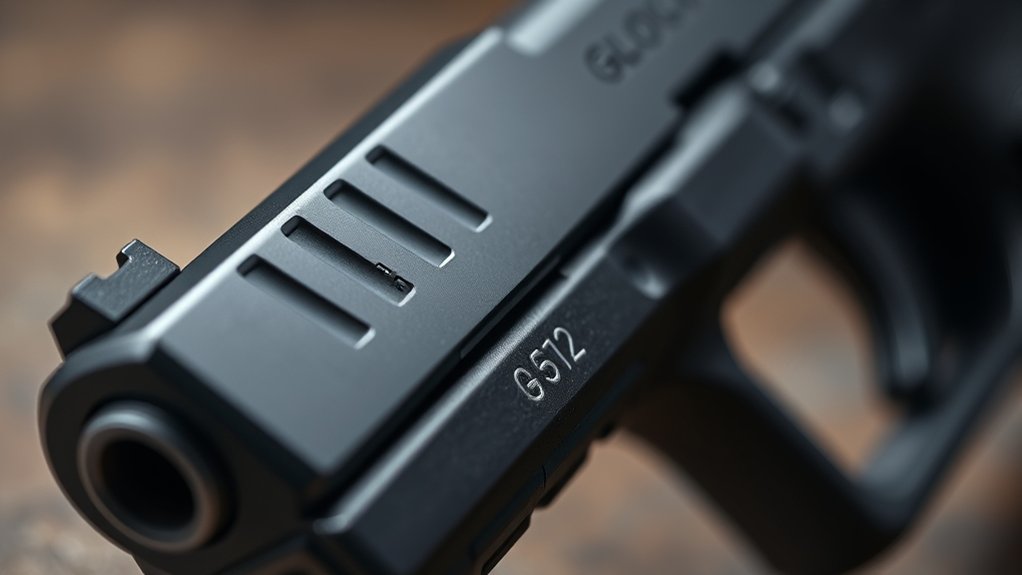
Understanding the external features like finger grooves and slide serrations can help you narrow down your Glock’s generation. But to be sure, you need to look closely at the slide markings and pins. These details are key to confirming exactly which generation your Glock is.
Slide markings often include a clear stamp on the left side, like “Glock 17 Gen 5.” This directly indicates the Glock’s generation. So, if you see that, you can be pretty confident about which one it is.
Pins are also a helpful clue. Typically, two pins mean it’s a Gen 1 or Gen 2. On the other hand, three pins are common in Gen 3, Gen 4, and Gen 5 models.
Another important point is that Gen 5 models usually have three pins but also display the generation stamp. They also don’t have finger grooves, which can help you tell them apart.
If there’s no generation marking, it’s likely a Gen 3 or earlier. Combining slide markings with pin counts gives you a more accurate way to confirm your Glock’s generation.
Using these details together ensures you get the right identification.
How To Spot Special And Transitional Glock Models And Differentiate Similar Glocks
When you’re trying to identify special and transitional Glock models, it’s important to pay close attention to their unique features. These models often stand out from the standard generations in subtle ways.
Hybrid models can be tricky because they blend characteristics from two different generations. For example, you might see a Gen 3 frame with a Gen 4 grip texture. This mix can make visual identification challenging at first glance.
Take the RTF2 third-generation models, for instance. They’ve a distinctive grip covered entirely in small pyramids, which was a precursor to the Gen 4 design. Internal features are also key to telling these models apart.
FBI M-Series Glocks look similar to Gen 5 externally but have some internal differences, like ambidextrous controls. To tell similar Glocks apart, closely examine grip texture, pin configurations, and internal components.
These subtle differences are your best clues. Paying attention to them ensures you can accurately identify transitional and special Glock variants without getting confused.
Frequently Asked Questions
What Calibers Are Available for Each Glock Generation?
You’ll find most Glock generations, from Gen 3 onward, support 9mm, .40 S&W, and .357 SIG calibers. However, Gen 5 mainly focuses on 9mm and .40 S&W, dropping support for .357 SIG and 10mm.
Earlier generations won’t fit 10mm models like the Glock 20 or 29, which start at Gen 4. So, if you’re interested in 10mm, you’ll want to go with those later models.
When choosing a Glock, keep in mind holster compatibility, grip texture variations, and safety feature updates across generations. These factors can influence your overall experience and fit.
Are There Differences in Glock Trigger Pull Weights Across Generations?
You’ll find that Glock trigger pull consistency stays pretty much the same across different generations, usually around 5.5 to 6 pounds.
While there are safety differences, like the updated trigger safety in Gen 5, these don’t really change the pull weight much.
What does change more noticeably are the reset points. Later generations tend to have shorter, crisper resets.
This makes it easier to shoot faster and stay in control, even though the actual trigger pull weight stays pretty consistent.
How Do Glock Magazine Designs Vary by Generation?
You’ll notice Gen 2 magazines are simpler, lacking grip texture variations or reinforced feed lips. This makes them quite basic compared to later versions.
Gen 4 and 5 designs have some noticeable upgrades. They feature removable floor plates, which make reloading easier and improve holster compatibility.
Slide release design changes also come with the newer generations, helping ensure smoother function.
Gen 4 and 5 magazines have textured baseplates and reinforced lips. These enhancements boost durability and grip.
All these small differences can really impact how the gun performs and how it feels to handle.
Can I Use Gen 4 Magazines in a Gen 5 Glock?
You can use Gen 4 magazines in a Gen 5 Glock, but it really depends on the specific model.
Generation identification shows some differences, like the redesigned magazine catch and well in Gen 5. These changes might affect how well the magazines fit.
Most Gen 4 magazines will work properly in Gen 5 models like the Glock 17 and 19. They usually maintain the same capacity and function reliably.
However, it’s always a good idea to double-check before using them. This helps ensure reliable performance and prevents feeding issues.
What Are Common Aftermarket Upgrades for Each Glock Generation?
You’ll find a wide range of aftermarket upgrades for your Glock generation.
Tweak your holsters to fit slide cuts or optic additions properly. These small adjustments can make a big difference in how your Glock feels and performs.
Grip textures are especially noticeable in Gen 4 and Gen 5 models. Interchangeable backstraps let you customize the grip for better feel and control.
Barrel length variations and upgrades help improve accuracy across all generations. Whether you’re shooting at the range or in the field, a better barrel can make your shots more precise.
Don’t forget about recoil springs and trigger kits. They’re essential for sharper performance and smoother resets, no matter which Glock generation you have.
Conclusion
Now that you know the distinct traits of each Glock generation, identifying yours becomes second nature. It’s like recognizing a fingerprint of design evolution etched in metal and polymer.
Think of it as decoding a secret language. Each feature tells a story of innovation and refinement, all tailored to your needs.
Remember, every groove, pin, and marking holds a clue. Trust your keen eye and this guide to confidently pinpoint your Glock’s generation with precision and authority.